Spot every authorship role
Highlight first, co-first, second, corresponding, and last-author papers with a clear, consistent color system.
 Author Highlighter
Built for researchers
Turn any Google Scholar profile into a clear view of authorship roles, role-specific metrics, and the papers that matter to you.
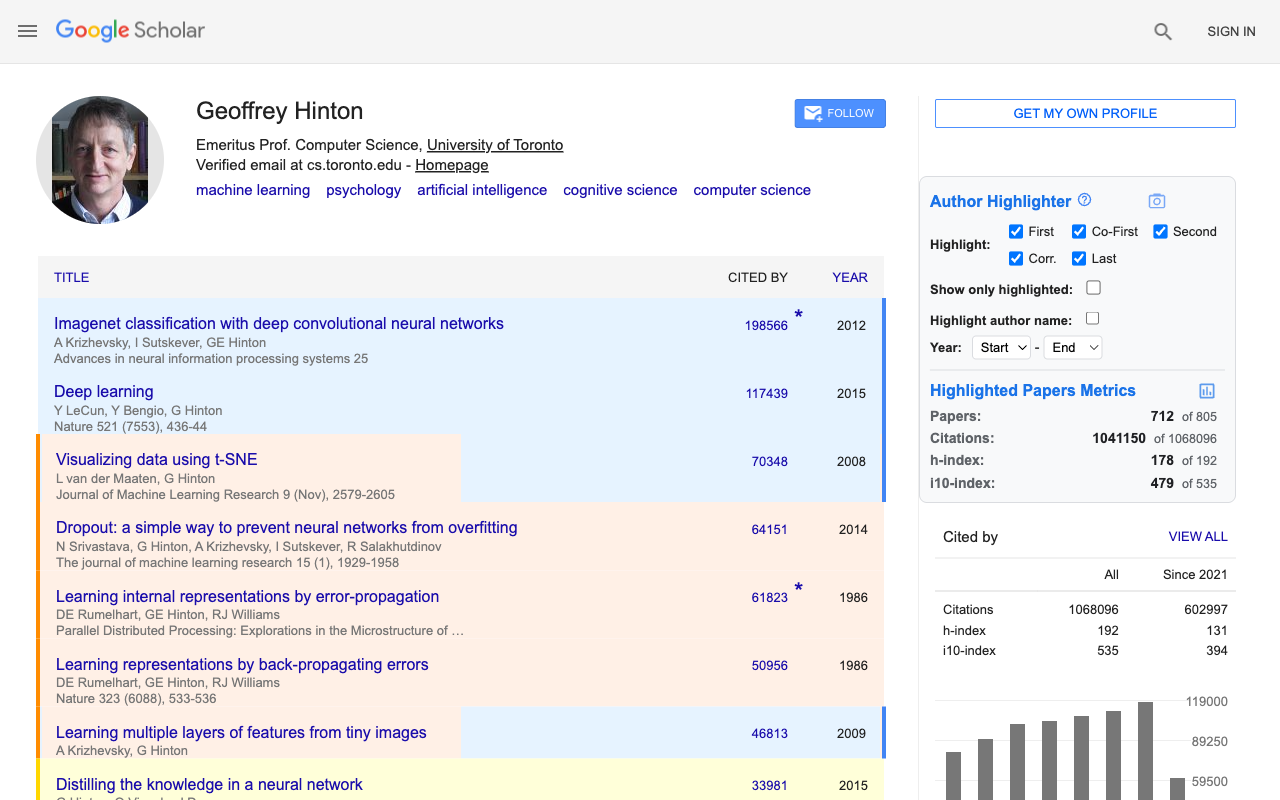
What it shows
Everything appears directly beside the Google Scholar profile you are already reading.
Highlight first, co-first, second, corresponding, and last-author papers with a clear, consistent color system.
Calculate paper count, citations, h-index, and i10-index for the authorship roles and years you choose.
Narrow by year or role, focus the publication list, then copy or download a clean profile snapshot.
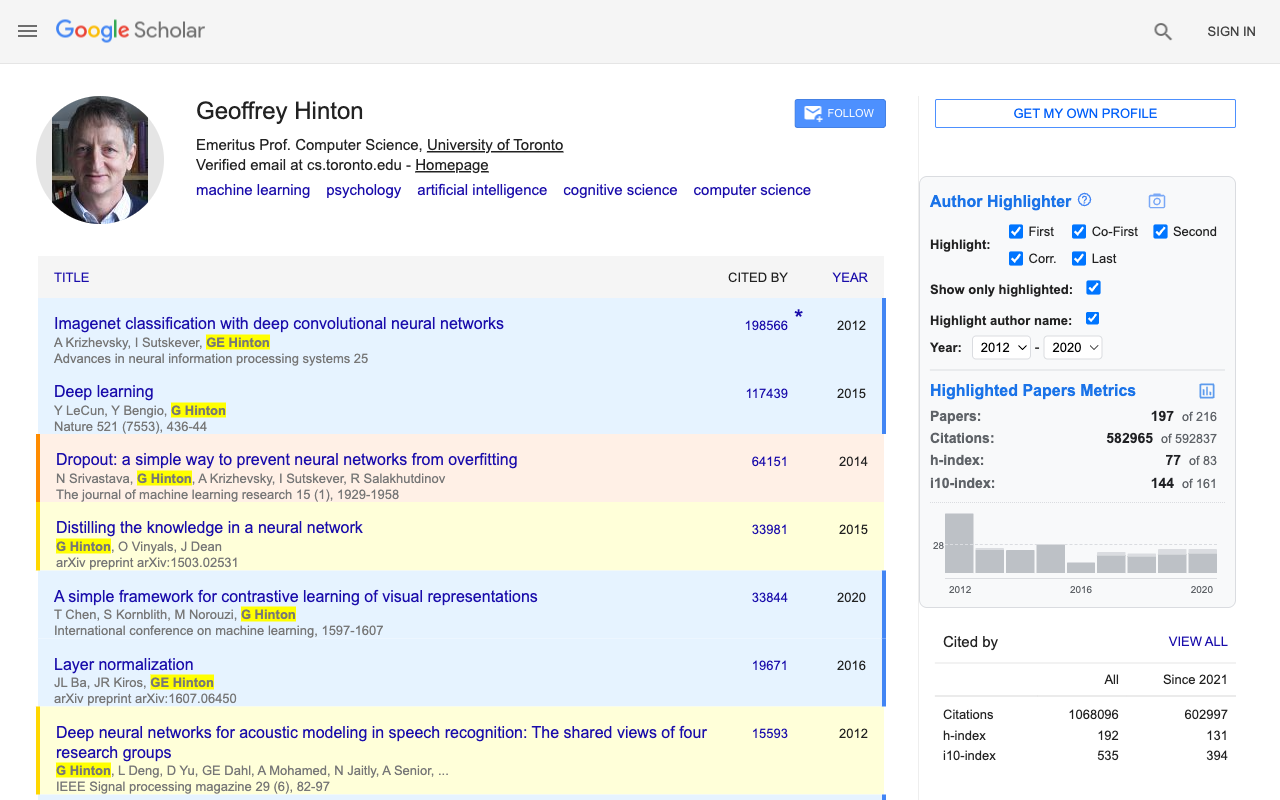
A better question
Total profile metrics are useful, but they do not tell the whole story. Select the roles and time range you care about, then see the result immediately.
Privacy by design
Author matching and metrics run locally. To fill a hidden last-author role or distinguish identical abbreviated names, limited public metadata may be checked directly with scholarly metadata providers and cached on your device. Requests do not pass through the developer's servers, and screenshots are never uploaded.
Read the full privacy policySupport
Email us about bugs, feature questions, privacy requests, or help using the extension. Please remove private or sensitive information before sending screenshots.
FAQ
No. It changes only how public profile pages appear in your browser. It does not edit your Scholar account or publication data.
Core author matching and metrics run locally. When Scholar shortens an author list or two authors share the same abbreviated name, the extension may send limited public metadata directly to OpenAlex and, for exact-identifier fallbacks, to arXiv, Crossref, or DataCite. These requests do not pass through the developer’s servers.
The extension supports the main Google Scholar domain and regional Scholar domains used around the world.
Shortened author lists can hide the last author, and identical abbreviations can refer to different people. Author Highlighter checks public metadata and adds a role only when the evidence supports it. Identical abbreviations require a full-name match and an ordered author list that agrees with the visible authors. Unresolved names are not highlighted or counted toward authorship roles. A name may also be missed when it does not match the profile or Other names (alias) list.
No. The share preview includes a small attribution footer by default, and you can turn it off before copying or downloading.
Free Chrome extension